

Throughout his tenure, REZ has played an almost irreplaceable role within the NIP roster since 2017, delivering standout performances by leading his team to victory at IEM Oakland 2017, earning the MVP award. However, major victories have eluded him in recent years, with his last triumph of note being in the IEM Fall 2021 Europe tournament.
GamerLegion’s recent roster changes include benching Sebastian “volt” Maloș and parting ways with Timur “FL4MUS” Marev, alongside signing the promising Czech player Oldřich "PR" Nový. These adjustments pave the way for REZ to reunite with fellow Swede Erik "ztr" Gustafsson, who briefly featured in NIP’s main lineup in 2021. With this revamped roster, the team now looks to adopt a more dynamic playstyle moving forward.
The updated GamerLegion squad is set to debut at the BLAST Bounty Season 1 online phase from January 14th to 18th, followed by an appearance at IEM Katowice’s Stage 1 later in the month.
The updated team roster now consists of the Swedish duo Erik “ztr” Gustafsson and Fredrik “REZ” Sterner, the Danish Sebastian "Tauson" Tauson Lindelof, the Hungarian Henrich "sl3nd" Hevesi, and the Czech Oldřich "PR" Nový.
What did REZ and GamerLegion say?
In light of this major change in his career journey, REZ posted a heartfelt message on X: “After over 7 unforgettable years, it’s time for me to say goodbye to NIP. My time here has been a journey I will never forget. I’ve grown, learned, and made memories that will stay with me forever.
I want to give a huge thank you to the fans that has been with me through every high and low, I can’t thank you enough for your endless support during these years. Your trust, support and belief in me have meant everything.
I’m excited for what’s next in my career, but this journey will always hold a special place in my heart.
I am far from done with CS. I feel hungrier and more motivated than ever. I know what I am capable of, and I’m ready to get back on the grind.”
He also added: “Excited to call GamerLegion my new home. Can’t wait for what lays ahead.”
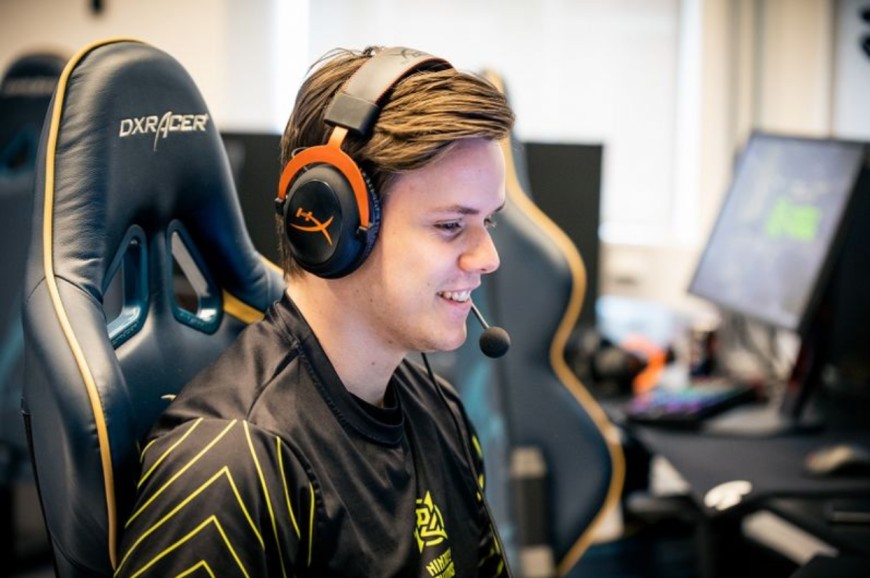
GamerLegion also shared its excitement about the signing, stating, “We’re thrilled to welcome a true legend to our team and add even more fuel to the fire! Time to secure another MVP medal. He’s in good hands NIP.”

With so many case alternatives available at various price ranges, choosing the right Hellcase case becomes a daunting task. We analyzed dozens of Hellcase cases based on your budget, the quality of the item pool, and their capacity to offer sustained resale value. This guide will organize our top-case choices for 2026 by budget category and provide instructions about claiming both the daily and free cases without the myth.
Withdrawing funds from an online gambling platform can be straightforward if you know the steps, especially when dealing with cryptocurrency. This Rainbet withdrawal guide walks you through the process, explains verification requirements, and highlights common issues users may face.
Make sure to check Rainbet’s latest policies before making a withdrawal, as processing times, limits, and available methods can change.




![Top 7 Most Expensive Skins in CS2 in [year]](/imgs/news_7956/20241010/cache/1728558761_abfb599fa034d44d7f54___308_174.jpg "Top 7 Most Expensive Skins in CS2 in [year]")