



The map veto began with MIBR removing Dust2, while FlyQuest chose to eliminate Mirage. MIBR selected Nuke as their map pick, and FlyQuest opted for Anubis. Train and Ancient were subsequently removed, leaving Inferno as the decider, though it was ultimately unnecessary due to FlyQuest’s stellar performance.
The first map, Nuke, picked by MIBR, initially seemed to favor the Brazilian side as they got off to a solid start with a 3-0 lead. However, FlyQuest quickly turned the tide with a solid defensive setup, pulling ahead by the end of the first half. Moving into the second half, FlyQuest carried their momentum into their attacking side, securing the pistol round and building a significant lead at 10-5. MIBR attempted a comeback, winning a few rounds, but the American team proved insurmountable on this map. They closed out the map with a 13-9 result.
The second map, Anubis, was FlyQuest’s selection, and they immediately took control of the game by securing a 2-0 lead. Despite being put on the back foot, MIBR fought back in the rest of the half gaining a 6-5 lead before FlyQuest evened the score out at the end of the first half. In the second half, FlyQuest dominated completely, delivering a flawless performance that left MIBR in complete disarray. With Christopher “dexter” Nong’s leadership, the team dismantled MIBR’s defences time and time again. FlyQuest secured a resounding 13-6 victory.
This victory marks an incredible start to the tournament for FlyQuest. Entering the tournament as underdogs, they defied all expectations and displayed remarkable form. For MIBR, led by their star player Felipe “insani” Yuji, the loss was a harsh blow, leaving them with plenty to work on as they look to recover in future tournaments.
What did insani and regali say?
insani reflected on his team’s loss on X, saying, “We lost our debut of the year vs. FlyQuest and we are eliminated from BLAST Bounty. Cold game and without much to say, this year is just beginning. Thanks to everyone who supported.”
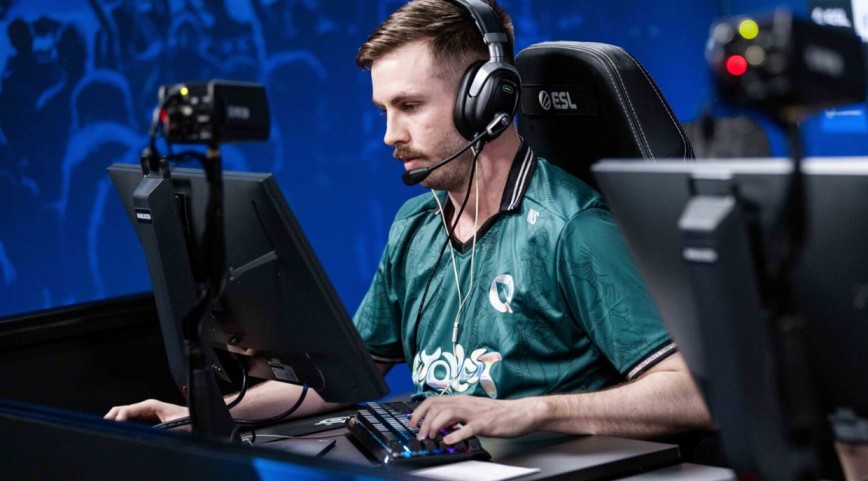
FlyQuest player Lulian “regali” Harjău, the Romanian who joined the team on January 10th posted on X: “Won vs. MIBR after 3 days of practice”. regali’s quick integration into this new lineup and his immediate impact is a promising sign for the team.

One of the most popular loyalty features on the platform is the KeyDrop Daily Case, which gives users the opportunity to obtain skins, gold, or account balance every day without making a direct purchase. But the system is controlled by particular XP levels, cooldown timers, and verification procedures; it's not just a "click and win" button.
This guide covers how the Daily Case system operates, why your case could be locked, and how to get the most out of your prizes as you advance through the KeyDrop levels.
Esports has grown from a niche hobby into a global entertainment industry. Today, major tournaments in Counter-Strike 2, Dota 2, and League of Legends attract millions of viewers, sell out arenas, and generate betting interest similar to traditional sports.




![CS2 Rank Distribution in [year]](/imgs/news_7959/20241011/cache/1728647520_6b5a528dc8c6fd1dcfb1___308_174.jpg "CS2 Rank Distribution in [year]")
![Strategies to win at CS Roulette (in [year])](/imgs/news_8180/20250401/cache/1743522679_36acde0fd50b381e0fee___308_174.jpg "Strategies to win at CS Roulette (in [year])")
![Gamdom Withdrawal Guide: Crypto Cashout, Verification, Limits and Fees ([year])](/imgs/news_8777/20260626/cache/1782504192_35ff401a00b17404f22d___308_174.png "Gamdom Withdrawal Guide: Crypto Cashout, Verification, Limits and Fees ([year])")
![Rainbet Esports Betting Guide: CS2, Dota 2, LoL Markets and Odds Explained ([year])](/imgs/news_8769/20260623/cache/1782213768_a7d2b61ff3cdc02999f4___308_174.png "Rainbet Esports Betting Guide: CS2, Dota 2, LoL Markets and Odds Explained ([year])")