


![CS2 Agent Skins: Beginner’s Guide to Unlocking in [year]](/imgs/news_8147/20250228/1740743498_453cec5af87b253a2837.jpg)

CS2 Agent Skins act similarly to regular weapon skins. They simply change the appearance of the default character model. This adds an extra layer of customizability to a player’s gaming experience.
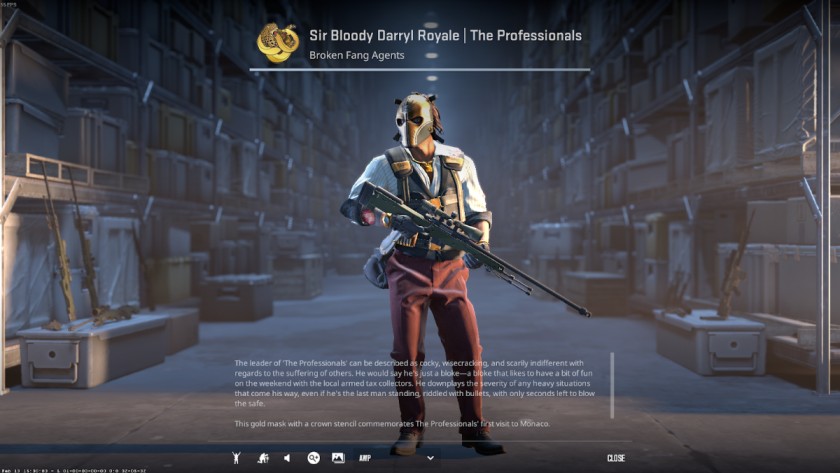
Each agent skin belongs to a specific faction, such as the FBI, SWAT, SAS, or various criminal organizations, and comes with unique voice lines, patches, and cosmetic details. Some rare agents also have enhanced textures, animations, or gear. However, they don’t come with any competitive advantage and are purely cosmetic.
CS2’s latest collection of agents comes from Operation Riptide released back in 2021. It introduced 21 different agents. Here’s the complete list of agents:
However, there has been plenty of speculation about a new CS2 Operation in the works. While the rumors started way back in 2023, when the game was initial released, it might finally come to fruition in 2025. That means new Agent skins.
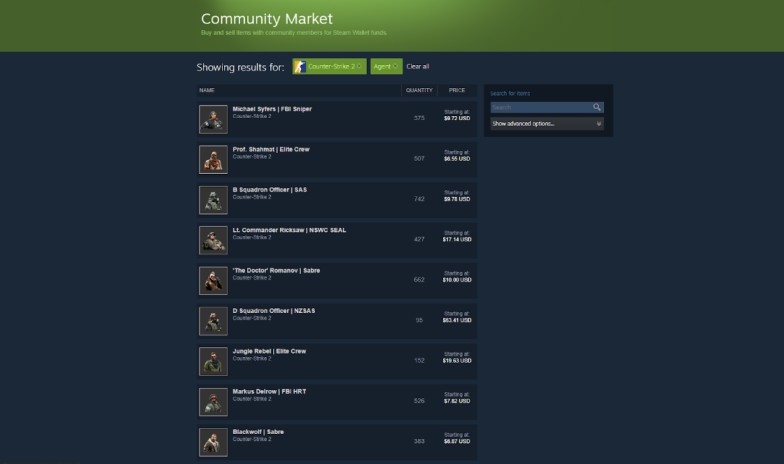
There are a couple of ways to unlock CS2 Agent Skins. They are:
Once you’ve got a new Agent skin in your inventory, you can simply follow these steps to equip it:
There aren’t many options for agent customization in CS2. You simply need to buy the agent skin you want the most and equip it. Other than that, you really can’t “edit” their appearance or features. However, you can apply Patches. Patches are essentially the Stickers of Agent skins. They add some extra flare to your Agent but don’t completely customize it.
One thing I personally like to do to customize my CS2 Agents is to have a set of themes in place. I change Gloves, Knife, and Weapon skins to match the outfit of my equipped Agent skin for a more aesthetic look. Who said beauty can’t kill, right?
Overall, CS2 Agent skins can act as another avenue to personalize your gaming experience and elevate your gameplay. While they don’t add any competitive advantage, it’s still a great way to add some spice to your CS2 gaming. Sometimes, it’s all just a huge skin diff.

CS2 knives are some of the most appreciated items in the game. Although guns are usually the idea you have in your head when you think about CS2, knives are also great because they provide melee benefits for the players. However, some of the best knives in the game have a discouraging price tag, while the cheaper ones are something players avoid as they consider them lower quality. But if you know where to look and you’re in desperate need of this item, finding the cheapest CS2 knife will let you enjoy the fun without breaking the bank. This post will reveal the most affordable CS2 knives you can buy this year.
So, you're wondering if you can actually play Bitstarz Casino in the USA in 2025? The short answer: yes, you can! This guide will walk you through how to get in on the action, claim some awesome bonuses, and use a VPN to make it all happen.




![Rainbet Bonus Guide: Promo Codes, Free Bets, Wagering Rules & VIP Rewards ([year])](/imgs/news_8755/20260612/cache/1781287898_7f03442e97855e3d54de___308_174.png "Rainbet Bonus Guide: Promo Codes, Free Bets, Wagering Rules & VIP Rewards ([year])")
![How To Play FACEIT CS2 in [year]](/imgs/news_8158/20250307/cache/1741351818_4c98890c4ae4e63cb0cc___308_174.jpg "How To Play FACEIT CS2 in [year]")