



Looking back at br0’s time on Astralis
Alexander "br0" Bro was signed to Astralis after Benjamin "blameF" Bremer was released from the team following the roster’s failure to qualify for the PGL Major Copenhagen at the start of 2024. However, the revamp didn’t just end there, as role changes quickly ensued to adapt everyone to br0’s rifler position. Hence, Martin "stavn" Lund and Jakob "jabbi" Nygaard ended up in their preferred roles and device became the team’s IGL.
While there was initial success with the new roster, making semi-final runs at IEM Chengdu and ESL Pro League Season 19, the team began to whither as Astralis failed to make the playoffs of either IEM Cologne or ESL Pro League Season 20. This became a roadblock for br0 in his career as he was replaced by Casper "cadiaN" Møller, who became the team’s IGL and relieved device of such a responsibility.
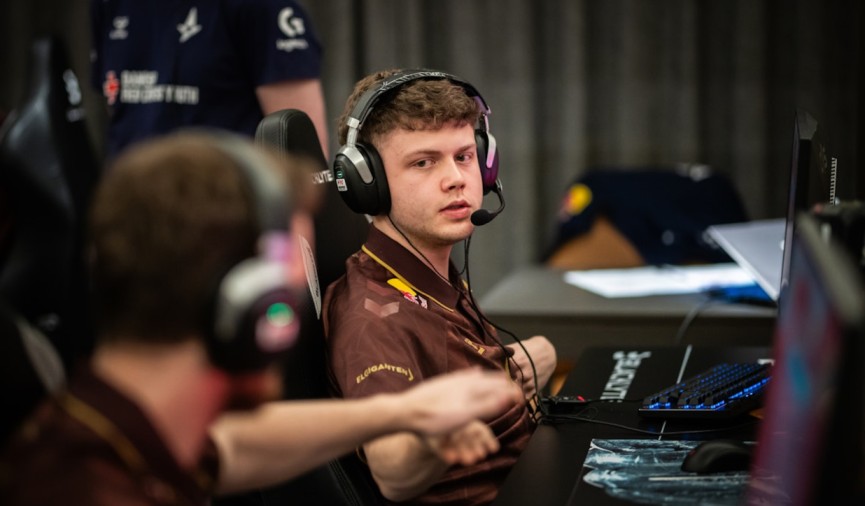
Astralis’s announcement
Astralis opened their announcement by celebrating device’s return to the team: “As we prepare for the next chapter of Astralis' journey, we're thrilled to announce that dev1ce is officially returning to the team. After taking time to focus on his physical and mental well-being, dev1ce is now fully ready to rejoin the team and bring his remarkable skillset, knowledge and commitment back to the server.“
Astralis also appreciated br0 for his efforts on the team: “Despite limited preparation, br0 rose to the occasion at the RMR and gave his all for the team. Together with br0, we have agreed on a mutual termination of his contract with Astralis. We are grateful for his professionalism and dedication during his time with us. It has been a pleasure to have him as part of the Astralis family, and we wish him nothing but the best moving forward.”
To close things out, Astralis cheered up its fans for the year 2025: “Looking back, 2024 hasn’t been our easiest year, but we’re optimistic about what lies ahead. With dev1ce’s return and a renewed focus on moving forward, we’re ready to embrace 2025 with fresh energy and determination.”

Opening CS2 cases will forever be one of the things I will always enjoy about the game. It’s simply something I will never get tired of, and I’m sure a ton of others feel the same way. Want to open a case but don’t know which one you should pick? Here are the best cases to open in CS2 for 2026.
To withdraw skins from Hellcase, players send trade requests directly from Hellcase to their Steam inventory. Hellcase doesn't do direct money transfers. To withdraw your cash from Hellcase, you'll need to use one of the many partnered third-party websites like ShadowPay. Both processes work as long as you follow the Steam trading rules, you have the right items, and your account is configured correctly.






![How to Withdraw Money & Skins from Hellcase: [year] Guide](/imgs/news_8527/20260114/cache/1768392230_15189d4fe9e844e0d85d___308_174.jpg "How to Withdraw Money & Skins from Hellcase: [year] Guide")