The series opened on Ancient, where FlyQuest started strong with a 4-0 lead. However, once TYLOO claimed their first round, everything changed. The Chinese squad went on a dominant streak, winning every remaining round of the half to take an 8-4 advantage. FlyQuest responded with a resurgence in the second half, regaining the lead and pushing the map into overtime. But once there, they completely overwhelmed TYLOO, shutting them out and taking the map 16-12.
Anubis saw a different story, with TYLOO coming out of the gates firing. They raced to a 6-0 lead before FlyQuest managed to get on the board. However, that lone round win did little to slow TYLOO’s momentum, as they closed the half with a commanding 11-1 lead. FlyQuest mounted a fightback in the second half, claiming seven rounds, but the deficit was too much to overcome. TYLOO closed out the map 13-8 to force a decider.
Inferno began with TYLOO winning the pistol round, but from there, the game became a tense back-and-forth battle. FlyQuest edged out a narrow 7-5 lead at halftime, but the second half saw TYLOO make an incredible stand on the CT side. Despite a temporary setback from FlyQuest, TYLOO quickly adjusted, regained control, and sealed the map with a 12-10 victory, securing their spot in the next stage of the tournament.
As they move forward, TYLOO’s team chemistry seems to be strengthening. “We went 2-0 at the start and lost two consecutive best-of-threes, and yesterday after the loss, I expressed some negative energy towards my teammates, which I’m very sorry for,” a tearful Dongkai “Jee” Ji told stunna after the match. “I apologized for it before the match, and I’m very thankful to have teammates like this”.
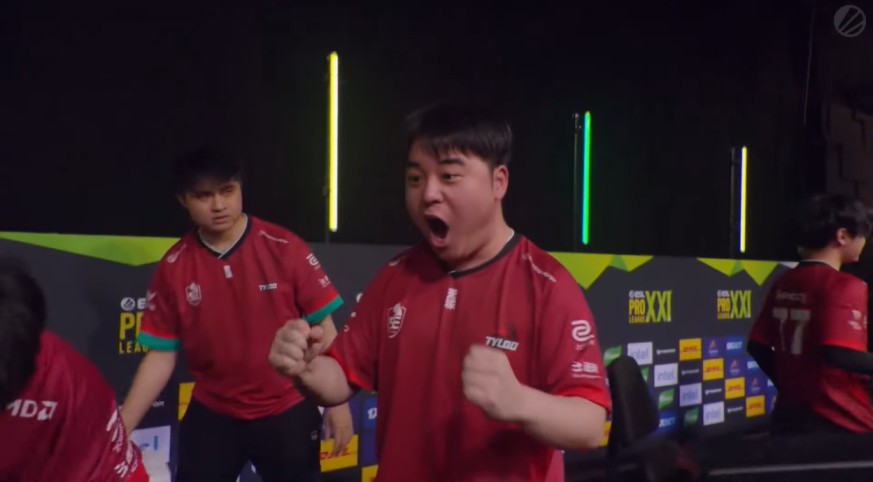
For years, TYLOO and FlyQuest were the defining rivalry of the Asia-Pacific Counter-Strike scene, clashing in regional tournaments like the Asian Minors and RMRs. But as The MongolZ took over the Asian circuit and Lynn Vision emerged as China’s new top contender, the classic matchup faded into the background. This series brought the rivalry back to life, as both teams fought for a spot in a premier international event.

Withdrawing funds is an important part of using any online gambling platform. Understanding the Gamdom withdrawal process can help users know what to expect before requesting a payout. Depending on the selected payment method, account status, and applicable regulations, the withdrawal experience may differ from one user to another.




![How to Withdraw Money & Skins from Hellcase: [year] Guide](/imgs/news_8527/20260114/cache/1768392230_15189d4fe9e844e0d85d___308_174.jpg "How to Withdraw Money & Skins from Hellcase: [year] Guide")