



Even the greatest Valorant gamers must choose wisely! Of course, you must first have a choice in order to be able to make the best decision. In other words, you must have access to the accessible valiant agents. 14 agents are available for selection and play as of the most recent 1.02 release, although only the first two are free once you finish the tutorial. You only get the first five levels for the two agents you choose in the tutorial when you complete the first contract; the other tiers must be unlocked in one of two methods.
Simply grinding the game for XP will unlock agents for free. Each agent has a contract that may be activated on your collecting screen so that you can finally hire them. You must choose and play the contracts for the agent you wish to unlock. Each agent has 10 levels, and in order to unlock a character, you must reach level 5.
This procedure may take some time, as any Valorant agents guide will tell you, so be sure to concentrate on the personalities that pique your attention. If not, you'll spend a lot of time working with a bad agent! You must earn a total of 375000 XP on any one character you wish to unlock in order to get a new one. That requires a lot of grinding. Focusing on daily tasks will let you earn more than 5,000 XP points every game, which will help you unlock agents in Valorant more quickly. You'll get the most points by combining them with regular tasks.
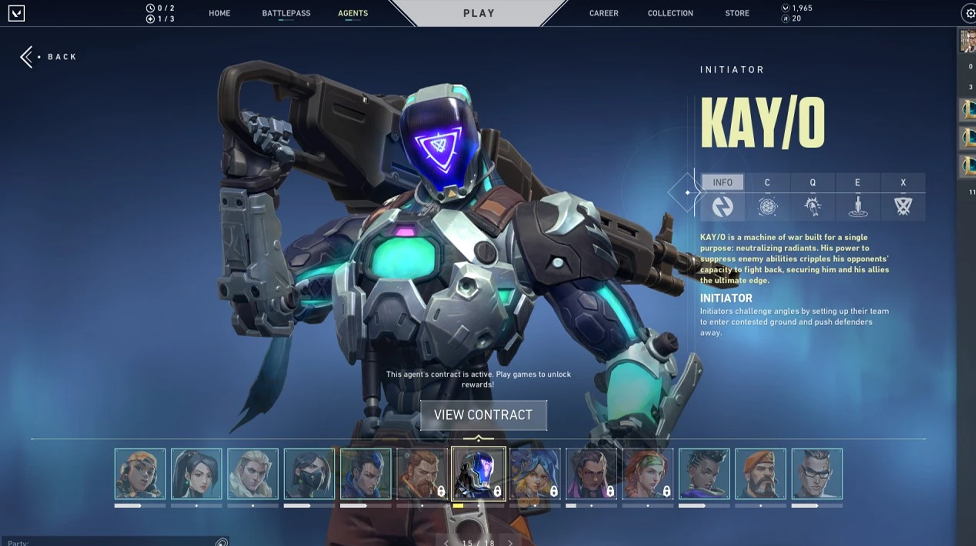
The following three actions ought to hasten the procedure:
Paying for agents in Valorant will unlock them considerably more quickly. Purchasing Valorant points via microtransactions is the method to achieve this. One level costs $2 and is equivalent to 200 points. In other words, it will cost about $10, or its equivalent, to unlock a Valorant agent. Paying for the agents is undoubtedly quicker than grinding for XP, which may take a long time. If you're ready to spend money, you can unlock your favourite character by reaching tier 5 by grinding the game and buying higher levels.
The majority of gamers now want to play the game for free, in which case follow the aforementioned advice to quickly unlock the agents. However, there are methods to spend less to unlock agents if you truly don't want to waste a lot of time or money.
Here's a tip for lowering Agent unlock expenses.
On each agent, you should be able to grind through the first, first two, or first three levels very rapidly. You may now switch to a different agent and go through the procedure again rather than grinding your way through stages four and five. When all of the agents you want to unlock have achieved Level 2/3, you may go pay for the remaining unlock for half or less of the initial expenditure.




![Best Cases to Open in CS2 in [year]](/imgs/news_8150/20250304/cache/1741088441_3b891fce289b067982c6___308_174.jpg "Best Cases to Open in CS2 in [year]")