


Goose Goose Duck is a social detective game that came out in April 2021. It was made by Gaggle Studios. The clone of Among Us gained popularity thanks to one of the members of the K-pop group BTS Kim Taehyung, also known as V, who streamed this game in December 2022.

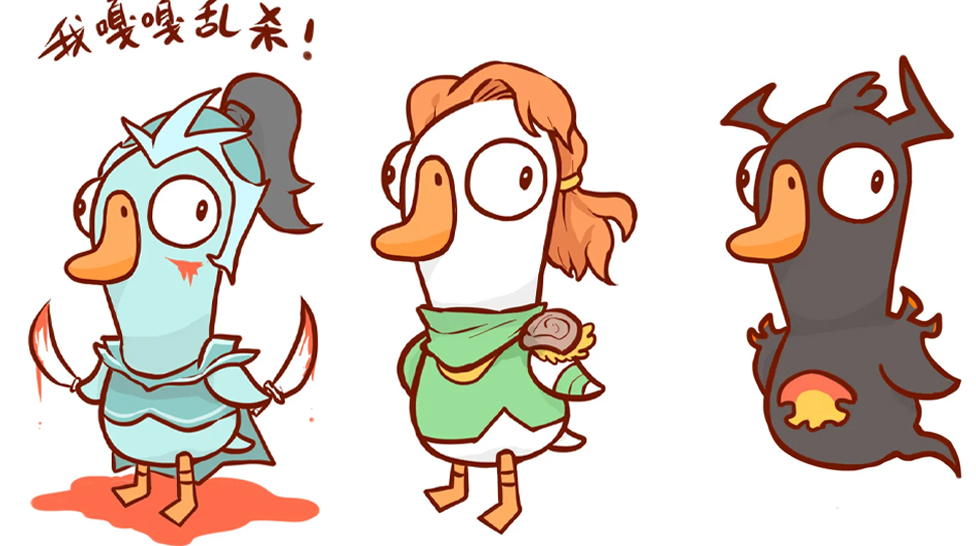
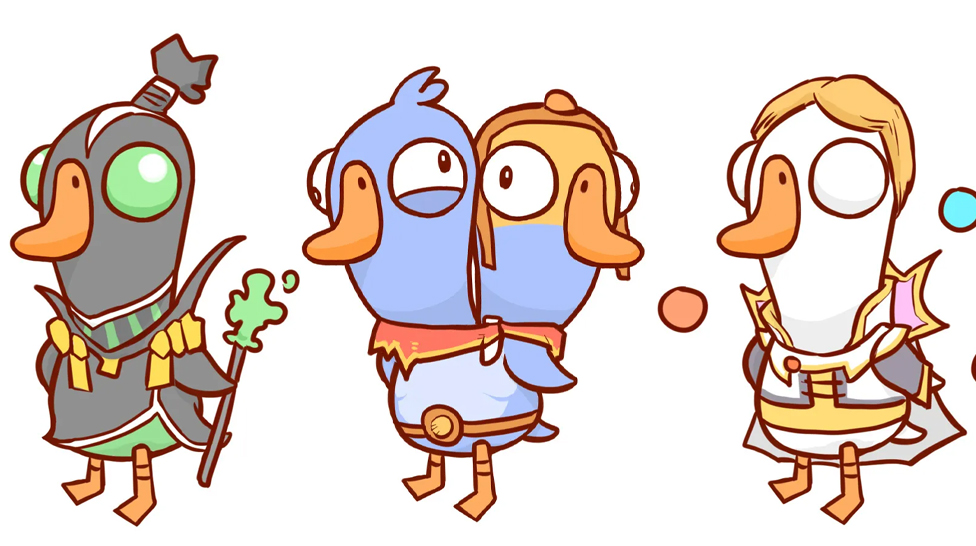
Dota 2 lover from China imagined what the heroes from Valve's Defense of the Ancients would look like if they were characters in the game Goose Goose Duck. The artist posted the images on Weibo.
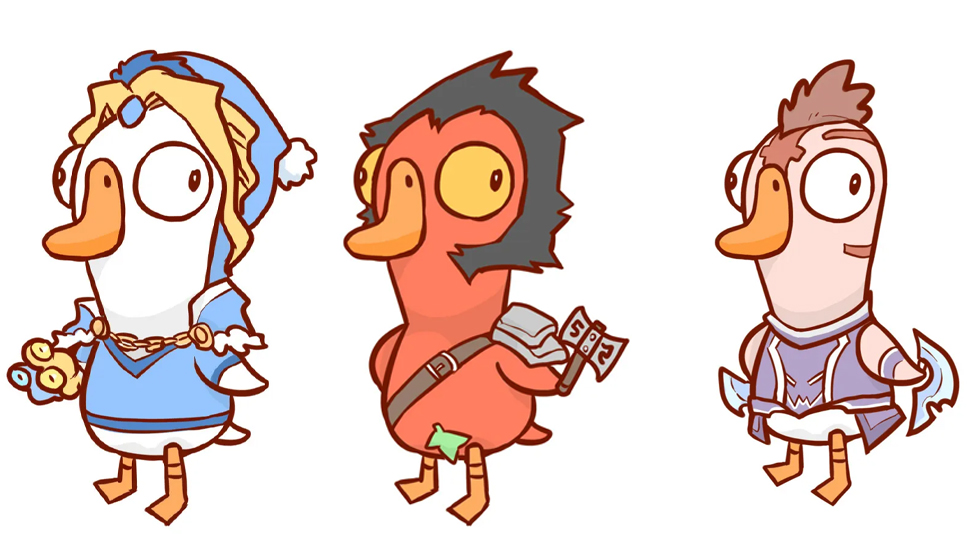
In his work, artist made nine characters from Dota 2 in the style of Goose Goose Duck. In the form of ducks, he presented Phantom Assassin, Windranger, Shadow Fiend, Rubick, Ogre Magi, Invoker, Crystal Maiden, Ax and Anti-Mage.
Goose Goose Duck became the game with the second-highest online peak after CS:GO. In addition to Dota 2, according to this indicator, the Among Us clone overtook such titles as Call of Duty: Modern Warfare II, Apex Legends, PUBG: Battlegrounds, Grand Theft Auto V, and others.
Earlier, the game about mini-ducks-warriors has more online than Dota 2. This result allowed the project to bypass Dota, which currently has a peak online of 642,000 players. This was discovered thanks to the statistical website SteamDB. At the time of publication, the peak online usage for Goose Goose Duck exceeded 700,000 users, while the figure for Dota 2 was 642 thousand gamers. Note that the first place in the list is occupied by CS:GO - 1 million users.
CS2 is a game that has become popular all over the world. Its gameplay and the numerous tactics players come up with make it one of the most fun games to play with your friends. But some players took this beyond entertainment and friendship – they went pro, with some even managing to win various tournaments. Unless you keep an eye on the professional CS2 world, you may not know who the top players are. But don’t worry – we compiled a list of the best CS2 players so you get to know the best performers.
So, you're wondering if you can actually play Bitstarz Casino in the USA in 2025? The short answer: yes, you can! This guide will walk you through how to get in on the action, claim some awesome bonuses, and use a VPN to make it all happen.



![Top 7 Most Expensive Skins in CS2 in [year]](/imgs/news_7956/20241010/cache/1728558761_abfb599fa034d44d7f54___308_174.jpg "Top 7 Most Expensive Skins in CS2 in [year]")
![Gamdom Withdrawal Guide: Crypto Cashout, Verification, Limits and Fees ([year])](/imgs/news_8777/20260626/cache/1782504192_35ff401a00b17404f22d___308_174.png "Gamdom Withdrawal Guide: Crypto Cashout, Verification, Limits and Fees ([year])")

![Bitstarz: US Players Acceptance at Bitstarz Casino in [year]](/imgs/news_8182/20250402/cache/1743606835_1a1236a2775ca0ab1ab0___308_174.jpg "Bitstarz: US Players Acceptance at Bitstarz Casino in [year]")