



The strange and fascinating tales that led to the creation of Dota 2 and its problems are being revealed by Valve by pulling back the curtain. The first installment of a new blog series called "Between the Lanes," written by the creators of Dota 2, describes how a little piece of code transformed Techies' Sticky Bombs into slow-moving, homing death. The blog was published on the Steam Community Page late on July 26.
The devs go into great detail on how Sticky Bombs functioned and what triggered the glitch in the blog. It turns out that the code from the old Remote Mines (the green ones from before the rewrite) was used in part to construct Techies' Sticky Bombs.
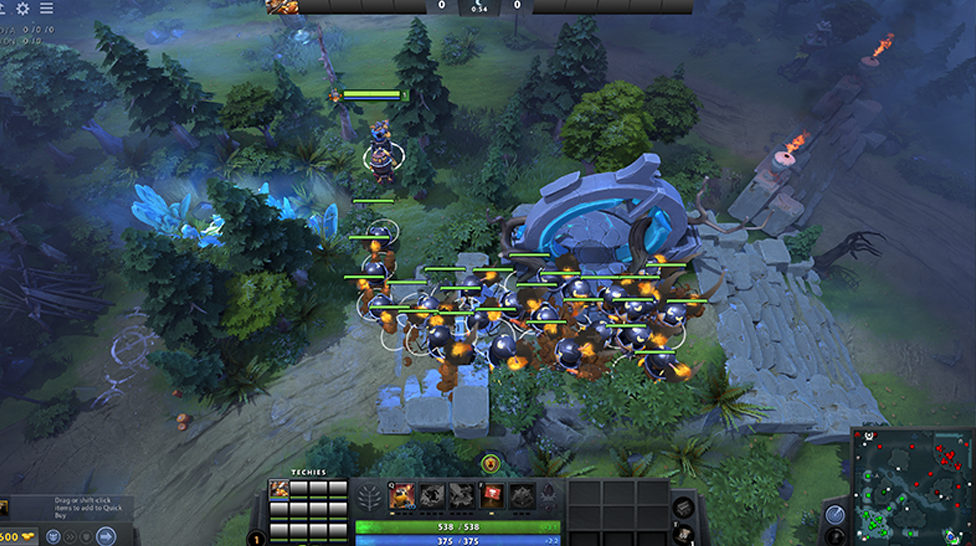
The Twin Gate could be channeled by the Remote Mines since they were technically non-player characters (NPCs) with the ability to utilize skills. And that's when everything started to go wrong: Sticky Bombs generally detonate soon after usage due to the "Toss" effect, however the Twin Gate channeling disrupted this effect. They were basically transformed into mobile Remote Mines from the past that could pursue foes as a result!
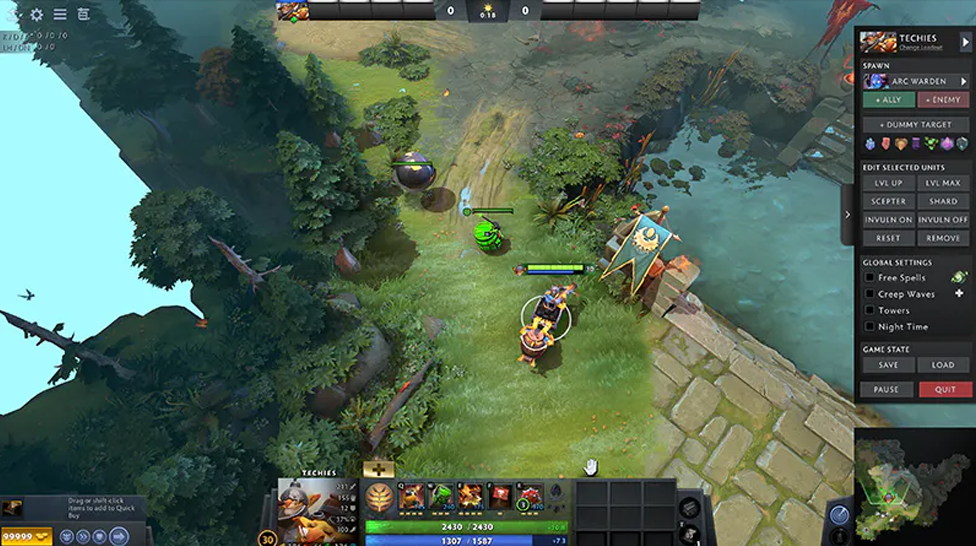
It seems that this problem was resolved by removing simply one line of code. It's absurd to think of the mayhem that a single line of code less than 50 characters long may wreak in Dota 2.
Like with so many defects, finding the bug generally takes up 99% of the time spent repairing it. The real repair often involves modifying a single line of code, sometimes the same line of code you used to correct an earlier fault. (This is why it's sometimes claimed that attempting to solve a murder while playing both the killer and the investigator is like debugging code.)
Recall that Dota 2's next significant update will be released in August 2023. The next major patch will be released just in time for teams to make one more attempt to qualify for The International 12. Valve is not renowned for releasing Dota 2 patches at the greatest times for its competitive community.
Rainbet offers several bonus types for eligible users, including promo codes, free bets, loyalty rewards, and VIP benefits. However, these offers often come with wagering requirements, withdrawal conditions, and eligibility restrictions.




![Is CSGORoll Legit and Safe in [year]?](/imgs/news_8240/20250620/cache/1750408140_0f7026fdc044d94f9fb4___308_174.jpg "Is CSGORoll Legit and Safe in [year]?")
![How to Get Free Coins & Money on CSGORoll ([year] Guide)](/imgs/news_8242/20250620/cache/1750409830_39412a49906d65d8b5ed___308_174.jpg "How to Get Free Coins & Money on CSGORoll ([year] Guide)")